 ChefBook
Every family says it will sort this out. Almost none do, because "sort out the family recipes" is not a task, it is a project, and projects without a first step do not start.
Why the shoebox stays a shoebox
- It looks like a huge job. Ninety cards, typed up by hand, is a fortnight of evenings.
- There is only one copy. No backup, no redundancy, and paper does not survive kitchens.
- Nobody can search it. Which card had the buttermilk? Nobody knows; someone has to leaf through the tin.
- Sharing means photocopying. So the recipes stay in one house and die there.
How to organize recipes digitally: six rules that scale
Whatever you keep them in, the same few rules decide whether a digital recipe collection is still usable at 300 recipes or turns back into a junk drawer at 30.
- One home for everything. Pick one place and move recipes into it: the links, the screenshots, the cards, the Word file. Two homes means you check both, and then neither.
- One recipe per entry. Each recipe gets its own page with ingredients and method, not a forty-recipe document you scroll through. Single recipes can be found, shared and cooked one at a time.
- Name it the way you will search for it. "Gran's lemon drizzle", not "Cake 3". For family recipes, put the person's name in the title, because that is what you will type.
- A handful of broad groups. Group by how you actually look for food: weeknight dinners, baking, one group per person (Gran, Dad), occasions such as Christmas. Five to eight groups is plenty. Do not build the folder tree before you have the recipes to put in it.
- Keep the source. Keep the original link, or the photo of the card, with the recipe. Websites change and links die; the handwritten card is the heirloom.
- Write your changes on the recipe. "Half the sugar", "ten more minutes in our oven". Notes like these are how a recipe you found becomes a recipe you make.
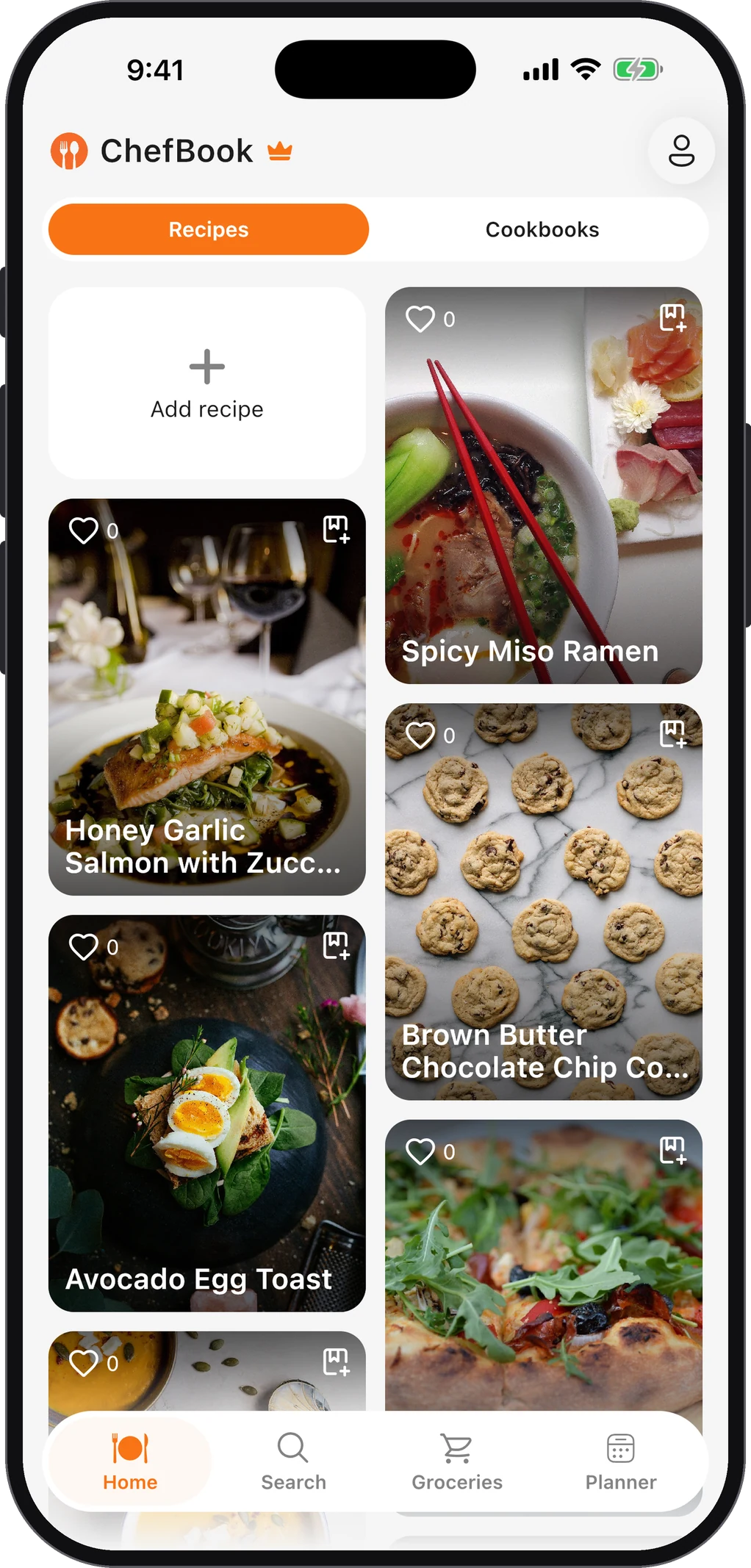
A recipe app does most of this for you. ChefBook imports from a link, a photo or pasted text into one library, keeps ingredients and steps separate, and lets you group recipes into cookbooks. Get ChefBook free on iPhone, iPad or Android.
How to do it in ChefBook
- Start with five recipes, not ninety. Pick the five you would be genuinely upset to lose. That is a twenty-minute job, and it front-loads all the value. The rest can trickle in over months.
- Photograph the cards. Use photo import — ChefBook's AI reads handwriting and turns each card into a clean recipe with ingredients and steps separated. No typing.
- Sweep up the digital strays. Paste in URLs for the ones that live on blogs, paste the text of the uncle's Word document, and import the screenshots. Everything ends up in the same format regardless of where it started.
- Capture the ones nobody wrote down. Sit with the person who makes it. Put in the title and the ingredients they can remember, turn on AI Completion, and let it draft the method — then correct it together. A wrong first draft is far easier to fix than a blank page, and this is the only way these recipes survive at all.
- Build a family cookbook. Group them into a cookbook. Keep it private to the family, or publish it so relatives can browse, like and save it into their own libraries.
- Share it, and let it live. Once it is shared, the recipes exist on other people's phones. They get cooked, planned into weeks, sent to grocery lists — and they are no longer one flood away from gone.
Keep the original photo attached to every scanned recipe. The structured text is what makes it cookable; the handwriting is what makes it theirs. You want both.
Best way to organize recipes digitally: the options compared
There are five common ways to store recipes digitally, and all of them work for somebody. They differ in how much typing it takes to get a recipe in, and in what you can do with it once it is there.
| Option | Cost | Getting recipes in | Finding one later | Sharing with family |
|---|---|---|---|---|
| Notes app (Apple Notes, Google Keep) | Free | Type or paste; photos of cards stay images | By words you typed | One note at a time |
| Google Docs or Sheets | Free | Type or paste | By words in the file | Share the whole file |
| Bookmarks or Pinterest boards | Free | One tap | By title | Share the board; the page itself can change or vanish |
| Photo album of screenshots and cards | Free | Fastest | Scrolling, or what photo search can read | Send photos one by one |
| A recipe app (ChefBook) | Free to download; importing free up to a weekly allowance | A link, a photo or pasted text; AI reads handwriting | Search across the whole library | A cookbook as a link anyone can open |
If you keep twenty recipes and never cook from your phone, a notes app is fine. If the goal is a typed family cookbook you can print, a shared document works, and there is a whole post on organizing recipes in Google Docs. Bookmarks are for ideas rather than recipes you cook; saving Pinterest recipes explains how to keep the recipe as well as the pin. Once you want to change servings, plan a week or turn a recipe into a shopping list, you want the recipe stored as ingredients and steps, and that is what a recipe app does.
Organize recipes digitally in ChefBook
Everything goes into one library. Paste a recipe website link, or an Instagram, TikTok, YouTube or Pinterest link. Photograph a cookbook page or a handwritten card and the AI reads it. Paste the text of the uncle's Word document. Each recipe arrives with its ingredients and steps separated, so changing the servings recalculates the quantities, and the recipe can go straight into the weekly meal planner and onto the grocery list.
Group recipes into cookbooks, with no limit on recipes or cookbooks. Keep a cookbook private, or share it as a link anyone can open, which is how a family cookbook reaches the cousin who will never install anything. Saved recipes open without internet. If some of the family recipes are in another language, one-tap translation (Premium) puts them in your language; see how to translate a recipe.
Importing is free up to a weekly allowance, and Premium makes it unlimited. Download the app free and start with the five recipes you would least like to lose.
The point is that they get cooked
An archive nobody opens is just a tidier shoebox. The reason to digitise family recipes is not preservation for its own sake — it is that they re-enter the rotation. They turn up when you search for what to cook. They land in the weekly plan. Their ingredients go on the shopping list with everything else.
That is the difference between a family recipe being remembered and being eaten. When you are ready to turn the collection into something to give, here is how to make a family cookbook.
Questions people ask
What is the best way to organize recipes digitally for free?
A notes app or Google Docs costs nothing and works for a small collection you type yourself. ChefBook is free to download, importing is free up to a weekly allowance, and you can make as many cookbooks as you like, so you can organize a whole family collection without paying.
How do I digitize old recipe cards?
Photograph each card flat, in daylight, with the whole card in frame. A recipe app with photo import turns the photo into text you can edit; keep the photo with it. The guide to scanning handwritten recipe cards goes through it step by step, and what to do with old recipe cards covers keeping the originals.
How do I organize recipes on my iPhone?
Without an app, use a Notes folder with one note per recipe and the source link at the top. With an app, save each recipe from its link or a photo and group them into cookbooks. How to save recipes on iPhone compares the built-in options.
How should I categorize recipes?
By how you look for them, not by how a cookbook index would do it. Most people browse by meal (weeknight dinners, baking), by person (Gran's recipes) and by occasion (Christmas). Start with five to eight groups and add one only when a group gets too long to scroll.
Do this in about a minute
ChefBook is free on the App Store and Google Play — save your first recipe today.
phone camera