 ChefBook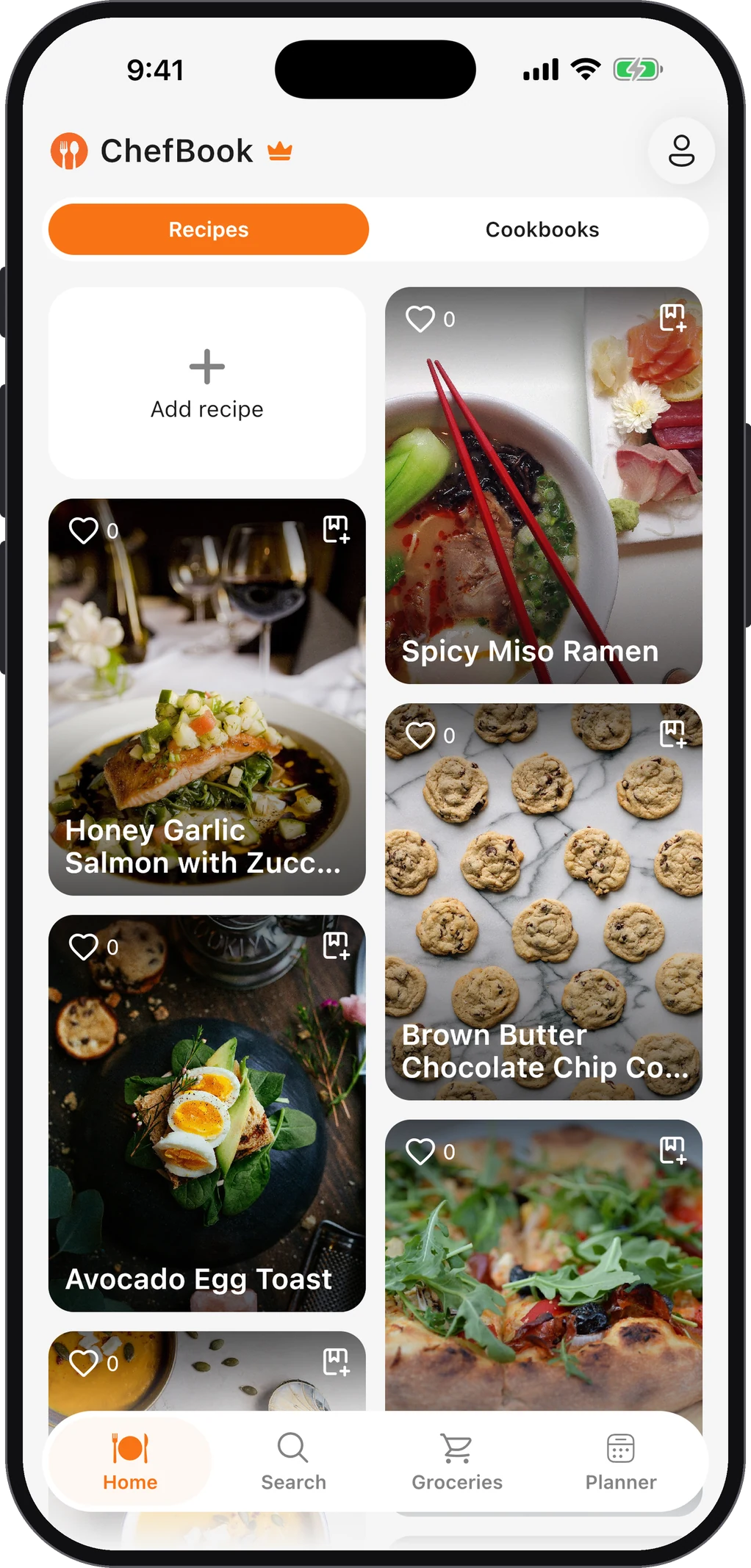
Most family cookbook projects stall in the same place. Someone buys a nice binder or opens a design template, writes a lovely introduction, and then waits months for recipes that arrive as blurry photos, half-sentences in a group chat and one aunt’s insistence that “you just know when it’s ready”.
So treat it as two projects. First you collect and clean the recipes, which is most of the work. Then you publish them as a shared digital cookbook, a PDF, a printed book or all three. This guide covers both, in the order that actually gets you finished.
Step 1: Decide what the cookbook is for
One sentence is enough, and it saves arguments later:
- “Grandma’s recipes, before we lose them.” Narrow, urgent and emotional. Scanning the original cards matters most here.
- “What our family eats.” Broader and living. It keeps growing after the first edition.
- “A gift for the holidays.” It has a deadline, so set a cut-off date for submissions and stick to it.
The purpose decides the size. A gift book with 30 recipes that are all tested and complete beats a 200-recipe archive nobody can cook from.
Step 2: Make a wish list before you ask anyone
Write down the dishes people would be upset to lose. Think holiday dishes, birthday cakes, the soup someone makes when you’re ill, the thing a grandparent always brought. Next to each one, write who holds the recipe.
Now you have a checklist and not an open request. “Can you send me your recipes?” gets silence. “Can you send me your potato salad, the one with the pickles?” gets an answer.
Step 3: Collect recipes in whatever form they exist
Accept everything, then convert it yourself. Asking relatives to type recipes up neatly is the fastest way to stop the project.
- Handwritten cards and notebooks. Photograph or scan them. Keep the original image as well as the typed text, because the handwriting is half the point. Our guide to scanning handwritten recipe cards covers lighting, angles and getting the text out.
- Recipes from websites. If a family favourite really came from a food blog, save the link and the recipe. Importing a recipe from a URL keeps the ingredients and method and drops the life story.
- Recipes nobody has written down. These need a cooking session. Cook alongside the person, and weigh and measure what they add as they add it. A “handful” becomes a number you can write down.
- Voice notes and phone calls. Fine. Transcribe them the same day while the details are fresh.
In ChefBook, each of these can go into one family cookbook. Import a photo or paste the text, and the app turns it into a structured recipe with ingredients and steps.
Step 4: Standardise every recipe
This is the step that turns a scrapbook into a cookbook. Every recipe should have:
- A title people recognise. “Nana’s Sunday Gravy” beats “Tomato Sauce”.
- Servings. Without them nobody can scale the dish for a bigger gathering.
- Ingredients with quantities. Turn “some flour” into “about 2 cups (250 g)” after a test cook.
- Numbered steps. One action per step, with oven temperatures and times written out.
- A short note. Who made it, when it was served, what makes it theirs. This is the part people read aloud.
Watch for the classic family-recipe gaps: missing oven temperatures, no pan size, brand names that no longer exist, and steps that assume you already know (“make a roux”). Fill these by asking or by test-cooking. Anything you’re unsure about, mark as a guess. Don’t present it as fact.
If some relatives cook in another language, keep the original and add a translation. The recipe translation guide explains how ChefBook does it (translation is a Premium feature).
Step 5: Organise it into sections
Keep sections simple. Most family cookbooks work with:
- Breakfast and brunch
- Soups and starters
- Mains
- Sides
- Baking and desserts
- Holidays (it’s fine for a recipe to appear here and in its normal section)
A section per person also works well for small books. “Grandpa’s recipes” tells a story that “Mains” doesn’t. Pick one scheme and use it everywhere, because a reader can follow either structure but not a mix of the two.
For more on structure, see how to organise family recipes digitally.
Step 6: Test-cook the uncertain ones
You don’t need to cook every recipe. Cook the ones with gaps, and the ones that will be made at big occasions, where a failure is public. One test cook usually reveals the missing detail (“oh, she always rested the dough overnight”).
This is also where photographs come from. A phone photo of the real dish on your real table suits a family cookbook better than a styled stock image.
Step 7: Choose how to publish it
You don’t have to choose just one.
A shared digital cookbook
This is the version people actually cook from. In ChefBook a cookbook can be private or shared publicly with a link. Relatives can open it on their phones in the supermarket or at the stove, search it, and add each recipe to their own meal plan and grocery list. It’s also the only version that can keep growing. Next year’s new favourite goes straight in.
A PDF
A PDF is good for emailing a single recipe to a relative who doesn’t use apps, or for printing a few pages for a binder. Exporting recipes as PDF is a Premium feature in ChefBook.
A printed book
ChefBook doesn’t print physical books. Once your recipes are clean and consistent, though, printing is the easy part:
- A local print shop can print and bind a PDF, usually spiral or comb binding. That lies flat on a counter, which matters for a cookbook.
- Print-on-demand book services let you upload a laid-out file and order as many copies as you need. One for each household is a popular holiday gift.
- A binder with page protectors is the cheapest and most practical option, and you can add pages later.
Whichever you pick, lay out recipes one per page, or one per spread with the photo opposite. Use large type, and keep ingredients and steps visible without turning the page.
Step 8: Set a deadline and send reminders
For a holiday gift, work backwards. Allow time for printing and delivery, a week or two for layout, and a week for test cooks. That tells you when submissions must close. Send a reminder a week before the cut-off with the list of recipes you’re still missing, named individually.
Common questions
How many recipes does a family cookbook need?
There’s no minimum. A 20–40 recipe book that’s complete and tested is a finished, giftable thing. A living digital cookbook can grow from there.
Should I keep the original handwriting?
Yes, if you can. Scan or photograph every original card at high resolution and keep those files, even after the recipe is typed. The typed version is for cooking. The scan is for remembering.
What if relatives disagree about the “right” version of a recipe?
Include both, and name them: “Mum’s version” and “Aunt Lena’s version”. Families have argued over these recipes for decades, and the argument is part of the family history.
Can several people add recipes?
In ChefBook each person keeps their own library and can share cookbooks publicly by link. The simplest collaborative workflow is still one editor who imports what everyone sends. That editor also keeps the formatting consistent, which matters more than you’d expect once the book is printed.
Keep every recipe in one place
ChefBook is free on the App Store and Google Play — save your first recipe today.
phone camera