 ChefBook
The question is not "what recipes exist". The internet has that covered, exhaustively. The question is "what can I cook right now, with this" — and almost nothing answers that, because search engines match words, not the contents of your shelves.
Why searching recipes doesn't solve this
- Search runs the wrong way round. You type "chicken recipes" and get a million results, most of which need six things you do not have.
- Every result costs a shopping trip. A recipe you cannot cook tonight is not a recipe, it is homework.
- It ignores your constraints. Forty minutes, one pan, no nuts, vegetarian for one of you.
- It ignores what is dying. The spinach is the whole reason you are cooking, and search does not know it exists.
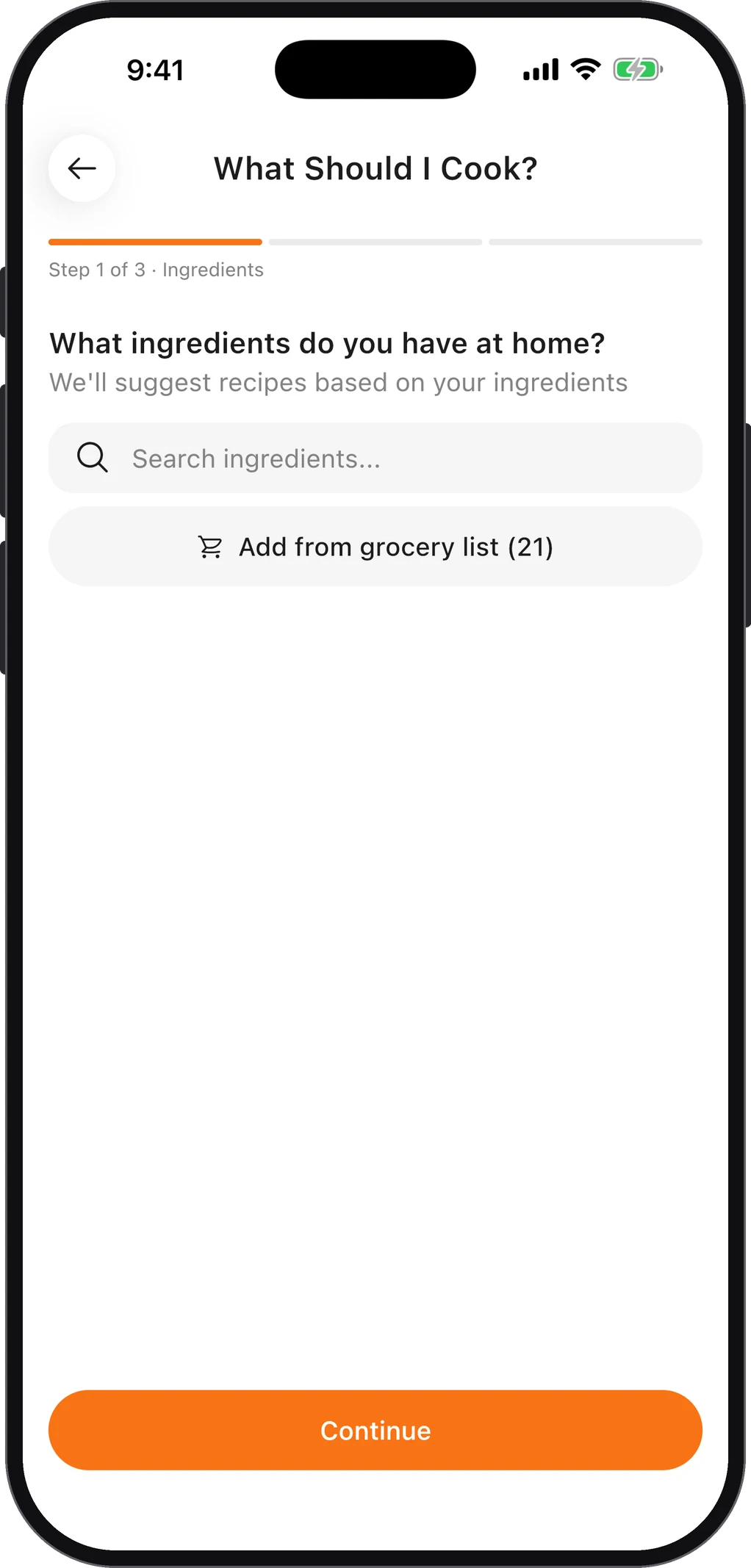
How to do it in ChefBook
- Open What Should I Cook. It is ChefBook's built-in wizard for exactly this moment — it starts from your kitchen, not from a search box.
- Tell it what you have. Add the ingredients on your shelves — chicken, lemon, rice, spinach. Tap them from the common list or search for them. Put in what is about to go off first; that is what you want used.
- Set your constraints. Choose cuisine, meal type, how much time you actually have, difficulty, and any dietary needs. This is where "30 minutes, vegetarian, nothing complicated" gets honoured.
- Get results ranked by match. ChefBook returns recipes ordered by how well they fit what you already own — so the top results are things you can start cooking now, not things that need a supermarket run.
- Cook it or plan it. Open Cook Mode and start, or drop it into this week's meal plan. If a suggestion needs one or two extra items, send just those to your grocery list.
What to cook with these ingredients, without an app
If you would rather work it out yourself, this order gets you to dinner fastest:
- Start with what is about to go off. That is the ingredient the meal is for; everything else supports it.
- Add one protein and one starch. Chicken and rice, eggs and bread, beans and pasta — that pair decides the dish.
- Search with two or three ingredients, not all of them. "Chicken spinach rice" finds recipes; a list of nine items finds nothing.
- Count what is missing. Anything that needs more than one or two items you do not have is tomorrow's recipe, not tonight's.
The wizard does the same thing in reverse: it starts from everything you ticked and shows the match as a percentage, so you can see at a glance which recipes are one ingredient short.
Is this a recipe generator?
No — and that is deliberate. What Should I Cook does not invent recipes with AI; it matches your ingredients against real recipes, from your own library and the community's. It is also free.
Use it on Thursday, not just at 6pm. Running the wizard against what is left mid-week is the single most effective way to cut food waste — you cook the wilting things on purpose instead of finding them later.
It works better the more you save
The wizard matches against your own library as well as the wider recipe collection, so the more recipes you import — from blogs, from Instagram, from your family's cards — the more the answers look like food you actually eat.
This is the quiet compounding benefit of keeping recipes in one place: a pile of recipes is a chore, but an indexed pile of recipes is a menu that reads your fridge.
Do this in about a minute
ChefBook is free on the App Store and Google Play — save your first recipe today.
phone camera