 ChefBook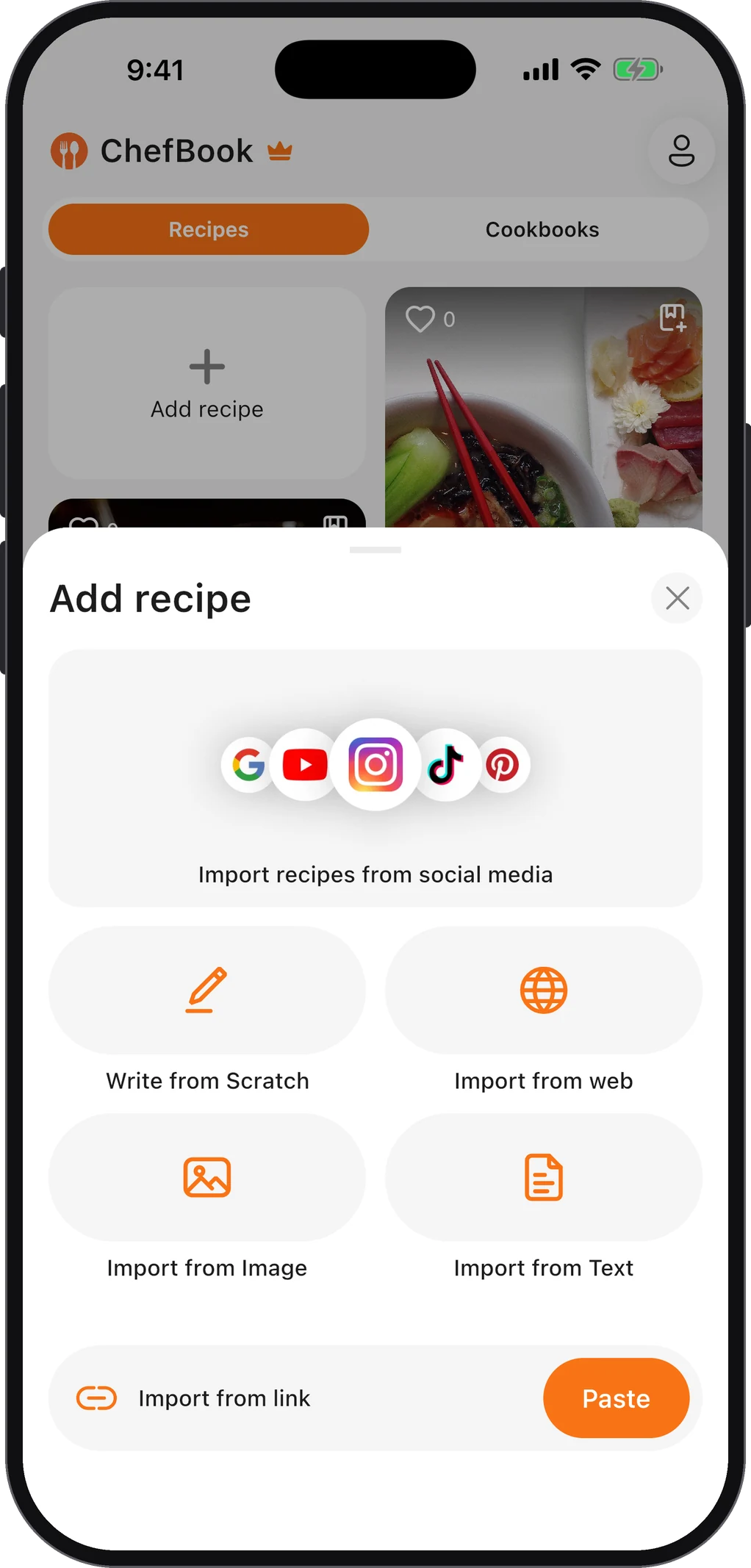
Pinterest is one of the best places on the internet to find recipes. It’s a much weaker place to keep them, and the reason is simple once you see it: a pin is a picture and a link. The recipe itself lives somewhere else.
What you’re actually saving when you save a pin
When you tap Save on a recipe pin, Pinterest adds it to one of your boards. What’s on the board is:
- the pin’s image,
- its title and short description,
- and a link to the website where the recipe was published.
The ingredients and the method are on that website, not on Pinterest. That has a few consequences that every long-time pinner eventually runs into.
- Links break. Blogs close, change their address, or reorganize their posts. The pin stays on your board, but the link leads to an error page or a homepage.
- Some pins never had a recipe. Images get re-pinned and re-uploaded without the original link, so the pin leads to an image file or an unrelated site.
- You can’t search the ingredients. A board of 600 pins can’t tell you which of them use the chicken thighs in your fridge.
- It doesn’t connect to cooking. A pin can’t go on a meal plan or turn into a grocery list.
So the useful habit is: use Pinterest to find recipes, and save the recipe itself somewhere you control.
How to save the actual recipe from a pin
1. Open the pin and follow the link
Tap the pin, then tap Visit (or the image, or the website name under it) to open the source page. If it opens a working recipe, you’re in the right place. If it opens an error page or something unrelated, skip to the section on broken pins below.
2. Save a copy of the recipe
You have a few options, from manual to automatic:
- Copy it by hand into a notes app or a document. It works, but it’s slow for more than a handful of recipes. If you go this way, a Google Docs setup is far easier to search later than a pile of notes.
- Use the print view. Most recipe sites have a Print button on the recipe card that opens a clean page. You can save that as a PDF.
- Import it into a recipe app. In ChefBook, copy the pin’s link (Share → Copy link in the Pinterest app) and paste it into Import recipes from social media, or open the source page and paste its address into Import from web. ChefBook keeps the ingredients, method, times and servings as an editable recipe. The website route is covered step by step in how to import a recipe from a website URL.
3. Keep the source link
Whichever way you save it, keep the link to the original page with your copy. If the recipe ever turns out wrong, you can check it against the source, read the comments, or find the blogger’s notes.
What to do with pins that already lead nowhere
If you’ve been pinning for years, some of your recipe pins will already be broken. A few things can rescue them:
- Search the pin’s title. Copy the recipe name and the blog name (if it’s shown) into a search engine. Posts that moved to a new address usually still exist under the same title.
- Try the Internet Archive. The Wayback Machine has saved copies of a huge number of web pages. Paste the old link in and pick a capture from before the page disappeared.
- Look at the pin’s comments and “tried it” photos. Other people sometimes post the ingredients or a working link.
- Use reverse image search. The pin’s photo may lead you to the original post on its new address.
Once you’ve found a working copy, save the recipe itself this time, not another pin.
A simple system: Pinterest for ideas, a library for recipes
You don’t have to give up Pinterest. It’s still the best visual mood board for “what should we eat this autumn”. The trick is to separate the two jobs:
- Browse and pin freely. Pins are cheap; treat them as a wish list.
- When you decide to cook something, save the recipe. Import it into your recipe library at that moment.
- After you’ve cooked it, keep it or drop it. If it was good, it stays in your library, maybe in a cookbook like “Weeknight dinners”. If not, you’ve lost nothing.
That way your library holds only recipes you actually want to make again, every one of them searchable by ingredient and ready for your meal plan, and Pinterest stays the place for inspiration. If you also save from social video, the same habit works for Instagram reels and YouTube cooking videos.
Questions people ask
Can you save a recipe from Pinterest without an account?
You can open a pin and follow its link to the source website without saving it to a board. From there you can save the recipe with the print view, a notes app or a recipe app’s import, none of which need a Pinterest board.
Why do Pinterest recipe links stop working?
Because the recipe lives on the original website, and websites change. When a blog closes, moves or renames a post, the pin keeps pointing at the old address.
How do I organize recipes saved from Pinterest?
On Pinterest, boards and sections are the only structure. Once recipes are in a recipe app, you can group them into cookbooks, search them by ingredient and plan them into your week. How to organize family recipes digitally covers a structure that holds up as the collection grows.
Keep every recipe in one place
ChefBook is free on the App Store and Google Play — save your first recipe today.
phone camera