 ChefBook
It is a small chore, and you do it every week, and it is the exact point where meal planning collapses.
Why hand-written lists go wrong
- Things get dropped. You copy eleven of the twelve ingredients and discover the twelfth at the hob.
- Context is lost. "Onions" — for which recipe? How many? You end up buying too few or too many.
- Duplicates pile up. Three recipes need garlic and you write garlic three times, or once, and guess at the quantity.
- It does not survive edits. Swap Wednesday's dinner and your handwritten list is quietly wrong.
How to do it in ChefBook
- Open the recipe. Any recipe in your library — imported from a URL, scanned from a card, or one of your own.
- Tap Add to Groceries. Every ingredient goes onto the list with its quantity, exactly as the recipe specifies. Nothing is retyped, so nothing is dropped.
- Or send an entire week at once. From the weekly meal planner, push every planned meal's ingredients to the list in a single tap. A full week's shopping, assembled in a second.
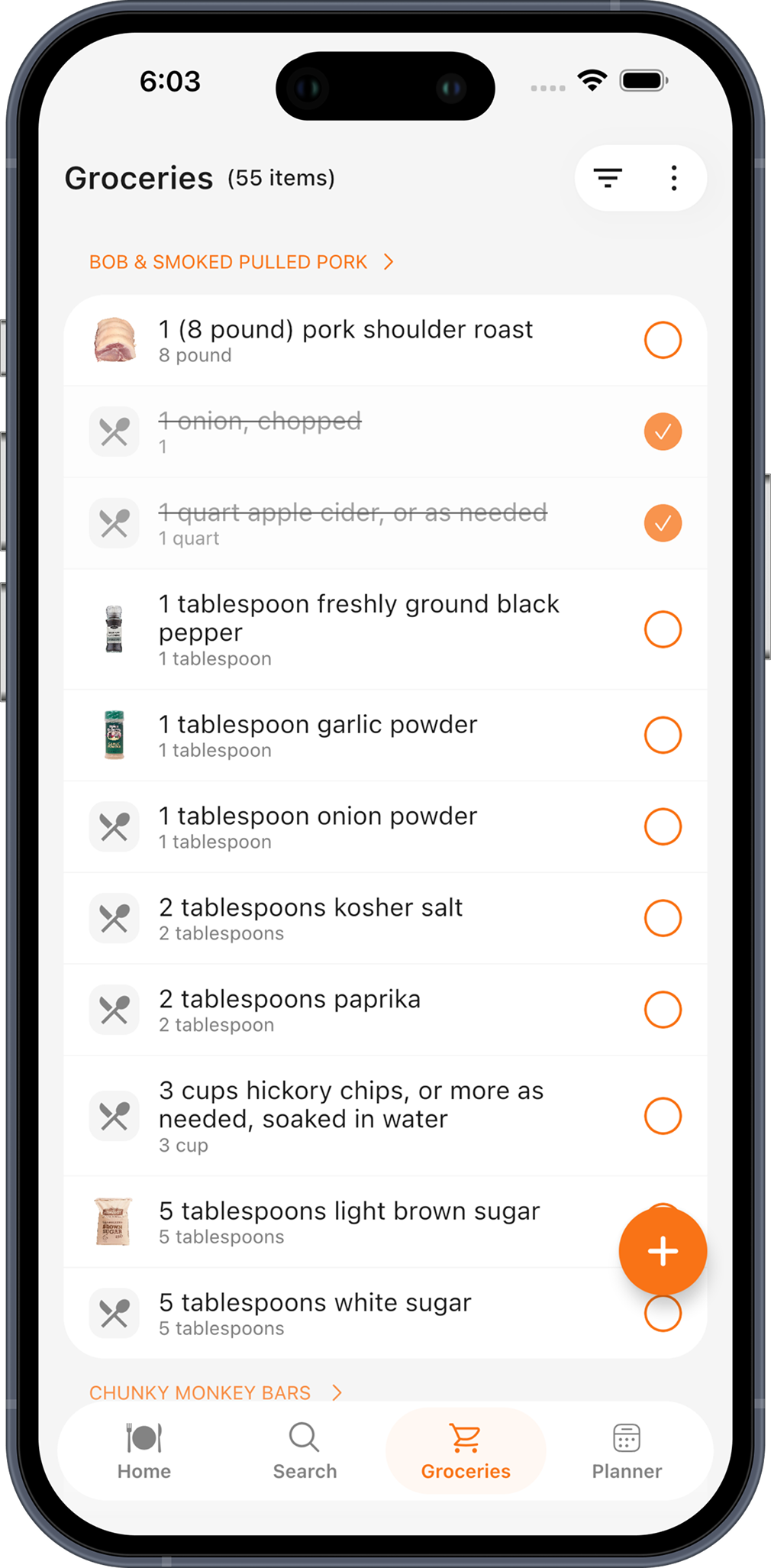
- Shop with items grouped by recipe. The list keeps items grouped under the recipe they belong to, so "1 quart apple cider" is visibly part of the pulled pork and not a mystery. You always know why something is on the list.
- Check things off as you go. Tick items in the aisle, sort by name or by recipe, and filter to show only what is still outstanding — so the list gets shorter instead of more confusing.
Scale the recipe before you send it. Change the servings from 4 to 8 and the quantities on your grocery list scale with it — no doubling in your head in the middle of a supermarket.
Why grouping by recipe matters
Most grocery apps merge everything into one flat list. That looks tidier and it is worse: the moment you drop a recipe from your plan, you cannot tell which items to remove, and when you are missing something you cannot tell which meal is now impossible.
Grouping by recipe keeps the link between the food and the meal it belongs to. It means a half-finished shop still tells you exactly what you can and cannot cook — which is the information you actually need when you get home.
Do this in about a minute
ChefBook is free on the App Store and Google Play — import your first recipe today.