 ChefBook
An online cookbook is a collection of your own recipes that lives on the internet rather than on a shelf. You can open it on any phone, search it, share it with a link, and keep adding to it. Making one takes an afternoon, as long as you pick the right kind of tool first and use the same format for every recipe.
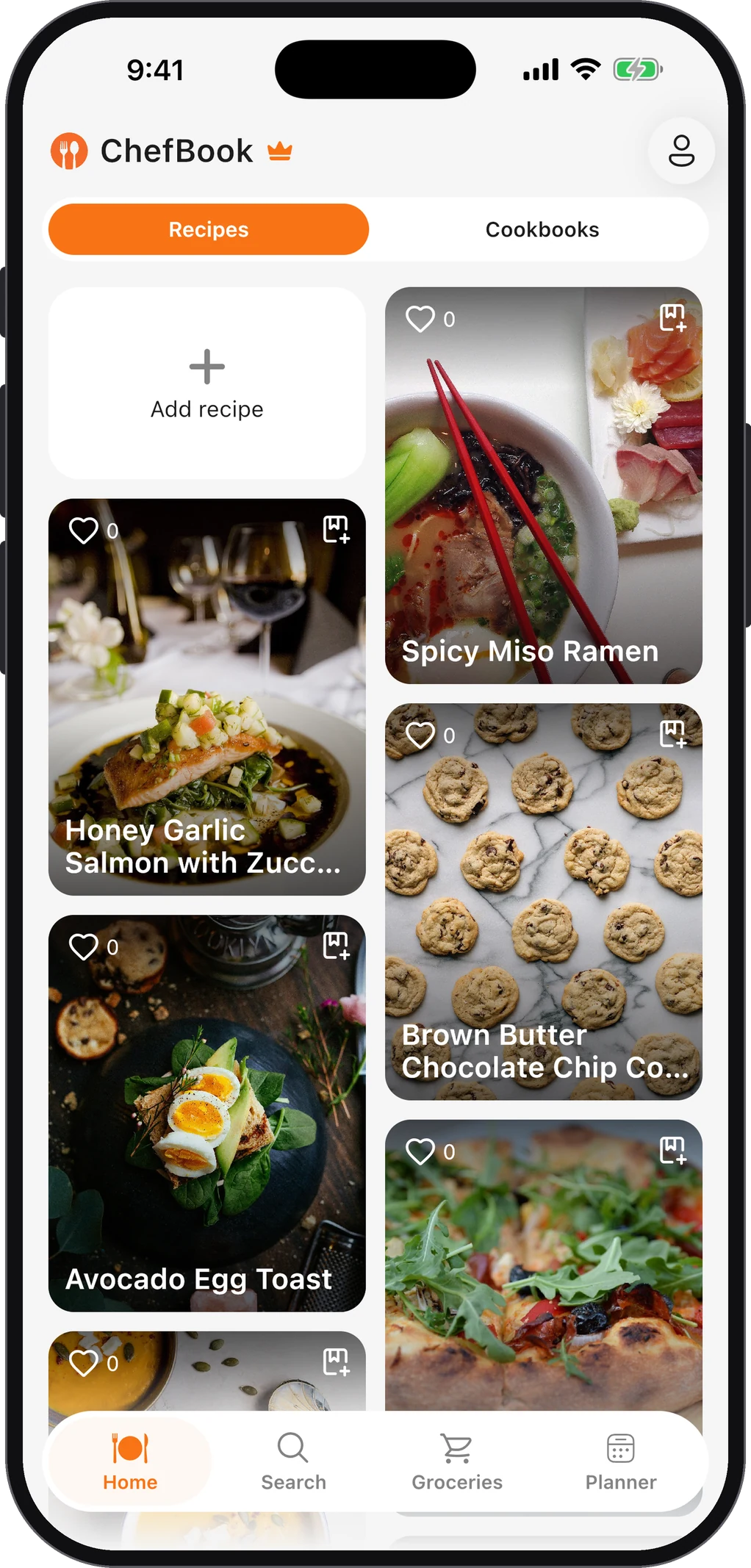
This guide covers both parts: which kind of online cookbook suits you, and how to build yours step by step. If you’d rather start straight away, get ChefBook free. It’s a recipe app on iPhone, iPad and Android that saves recipes from links, photos and text into cookbooks you can share.
What people mean by “online cookbook”
The phrase covers three different things, and it’s worth knowing which one you want:
- Your own recipe collection, online. Family recipes, favourites from websites, the things you actually cook, kept somewhere you can reach from any device. Most of this guide is about this kind.
- A designed book you put together online. You lay out pages with photos and a cover, usually so you can download a PDF or order a print copy.
- Published cookbooks you read online. E-books and digitised classics, which this guide doesn’t cover.
A designed book is much easier to make once your recipes already sit in one clean collection, so start there either way.
Online cookbook maker: four ways compared
There are four kinds of tool you can make an online cookbook with. They’re built for different jobs:
| Recipe app | Book-builder site | Google Docs / notes app | Your own blog | |
|---|---|---|---|---|
| Best for | Recipes you cook every week | A one-off gift or printed book | A small, simple collection | Publishing to strangers |
| Adding recipes from websites | Paste a link, recipe is pulled in | Usually typed in by hand | Copy and paste | Typed in by hand |
| At the stove, on a phone | Built for it | Often desktop-first | Long documents to scroll | Depends on the theme |
| Search | Built in | Limited | Text search only | Site search |
| Sharing | A link to one cookbook | Shared book or PDF | Shared folder | Public by default |
| Watch out for | Getting your recipes out later | Little use once it’s printed | Gets messy as it grows | Setup and upkeep |
The honest rule of thumb: if the cookbook is mainly for cooking from, use a recipe app. If it’s mainly an object to give, use a book builder, and build the clean collection first anyway. A Google Docs system is a fine middle ground for a short list. This Google Docs setup shows how to keep one tidy.
How to make your own online cookbook in an afternoon
1. Pick your first twenty recipes
Don’t start with everything. Write down the twenty dishes you’d be upset to lose: weeknight staples, holiday dishes, the cake someone always asks for. That’s your first edition. The other 400 screenshots can wait.
2. Decide on a handful of sections
Five to eight sections are enough. More than that and you spend more time filing recipes than cooking them. A set that works for most households:
- Weeknights
- Batch cooking and freezer
- Baking
- For guests
- Family classics
- To try
In ChefBook each of these is a cookbook you create.
3. Use one recipe template for every recipe
Most messy collections are messy because every recipe has a different layout. Give each one the same fields:
- Title — what you actually call it (“Mum’s lentil soup”, not “Soup 3”)
- Servings and time
- Ingredients with quantities — “1 can” becomes “400 g tin chopped tomatoes”
- Steps, one action each
- Source — the website, the book or the person
- Notes — “use half the chilli”, “freezes well”
This is also the whole online recipe book template. If you use a document instead of an app, copy these headings into every page.
4. Get the recipes in
You’ll have three kinds of source, and each needs a different method:
- Recipes on websites and social media. Copying them by hand is slow and loses the structure. In ChefBook, paste the link and the recipe comes in with ingredients and steps separated. It works for recipe websites and for Instagram, TikTok, YouTube and Pinterest links. See how to import a recipe from a website URL and saving recipes from Instagram and TikTok.
- Handwritten cards and cookbook pages. Photograph them. ChefBook’s AI reads the photo and turns it into an editable recipe. Keep the original photo too, because handwriting is part of what makes these recipes worth keeping. How to scan a handwritten recipe card walks through it.
- Recipes in messages and notes. Paste the text in and tidy it into the template.
Importing is free up to a weekly allowance, and Premium makes it unlimited. Download the app free and start with the recipe you’d least like to lose.
5. Fix the vague ones while you remember
Turn “a handful of flour” into a quantity and “bake until done” into a cue (“until a skewer comes out clean”) the next time you cook it. Being easy to edit is a big advantage over paper.
What makes an online cookbook usable in the kitchen
A collection you can’t use with flour on your hands doesn’t get used. Check yours against these:
- It opens fast on a phone. You’ll use it at the counter and in the supermarket, not at a desk.
- It works without signal. Kitchens and shops have dead spots. ChefBook keeps saved recipes on your phone, so they open offline.
- Servings change the quantities. Changing servings in ChefBook recalculates every ingredient, free. The guide to scaling a recipe covers the judgement calls a calculator can’t make.
- The screen stays on. ChefBook’s Cook Mode (Premium) shows one big step per screen and keeps the display awake. Timers are Premium too.
- It feeds the rest of the week. Recipes that go into a meal plan and a grocery list get cooked.
Sharing an online recipe book with family
Sharing is the reason many people want an online cookbook rather than a binder. In ChefBook, each cookbook is private or public. A public cookbook has a link anyone can open, so relatives can see the recipes without an account. You can share one cookbook (“Grandma’s recipes”) and keep the rest private.
For a family project where several people contribute, the simplest approach is to have one person collect: relatives send photos, links or texts, and the collector imports and tidies them. How to make a family cookbook covers chasing the recipes and fixing the measurements.
Online cookbook, PDF or printed book?
You don’t have to choose. Treat the online cookbook as the master copy and make the other versions from it:
- PDF: good for emailing a recipe to someone who doesn’t use apps. PDF export is a Premium feature in ChefBook.
- Printed book: ChefBook doesn’t print physical books, but once your recipes are clean, a print shop or a print-on-demand service can work from a PDF.
The printed copy is the one people keep. The online one is the one they cook from, and it keeps growing.
Make your online cookbook with ChefBook
ChefBook does the whole job in one app: it saves recipes from websites, social media links, photos of cards and pasted text, groups them into private or shared cookbooks, opens them offline and scales servings. Recipes go straight into a weekly meal plan and a grocery list. Premium adds Cook Mode, timers, Ask Chef, nutrition, translation and PDF export, and free accounts get 5 uses of Premium features a week.
Get ChefBook free on iPhone, iPad or Android. If you want ideas to fill the “To try” cookbook, browse public recipes on Explore.
Questions people ask
Is there a free online cookbook maker?
Yes. A Google Docs folder costs nothing and works for a small collection. Recipe apps like ChefBook are free to download and use, and only some features are Premium. Some book-builder sites let you design for free and charge for printing.
How do I make a cookbook online for free?
Pick 20 recipes, give each the same template (title, servings, ingredients with quantities, steps, source, notes) and put them in a free tool. In ChefBook that means pasting links, photographing cards and grouping recipes into cookbooks. The whole thing takes about an afternoon.
Can I share my online cookbook with family?
In ChefBook, make a cookbook public and send the link. Anyone can open it, and you can keep your other cookbooks private. In Google Docs, share the folder instead of single documents.
Can I turn my online cookbook into a PDF or a printed book?
You can export recipes as PDF in ChefBook with Premium. For a bound book, take the PDF to a print shop or a print-on-demand service. ChefBook doesn’t print books itself.
Keep every recipe in one place
ChefBook is free on the App Store and Google Play — save your first recipe today.
phone camera