 ChefBook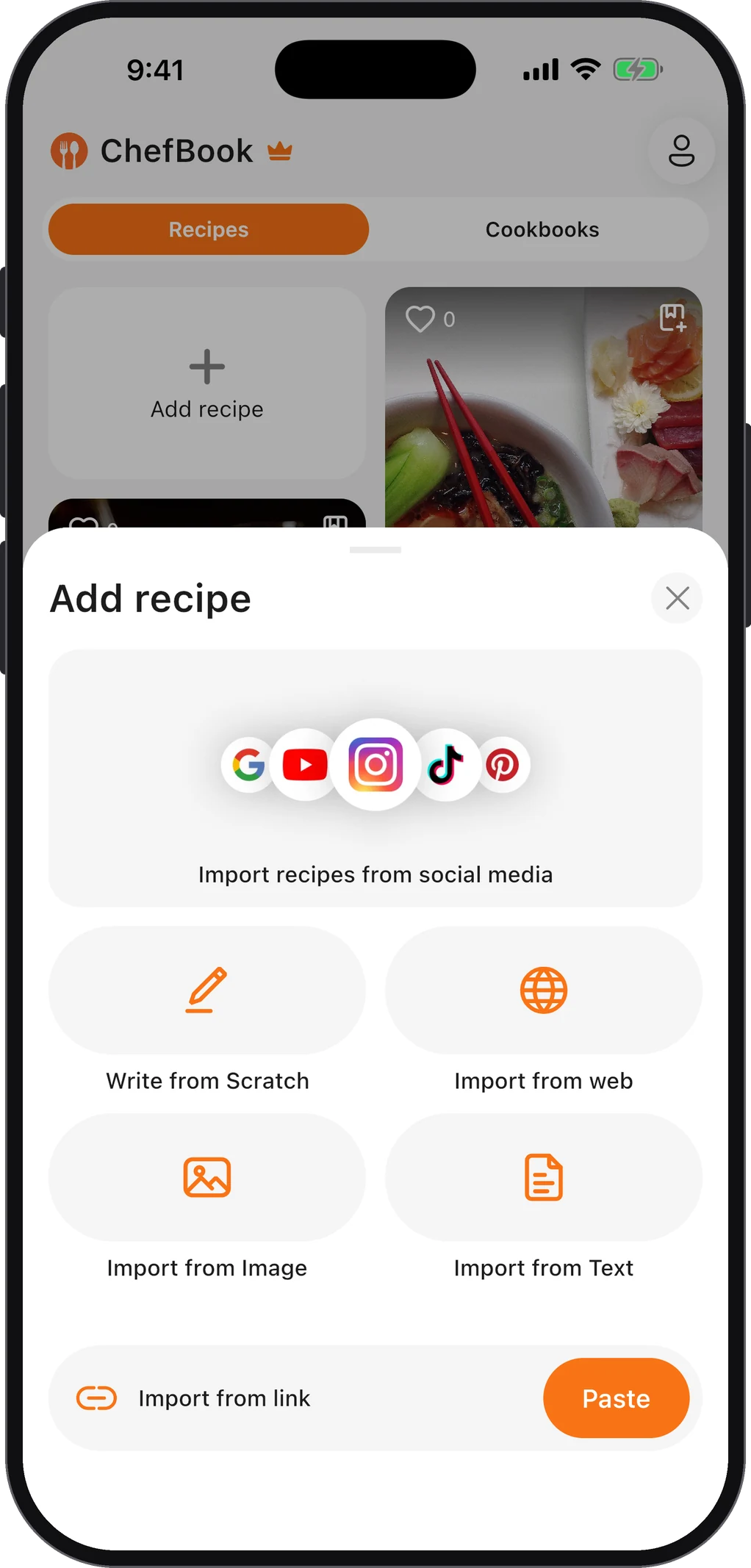
Video is a brilliant way to learn a recipe and a terrible way to cook from one. You can’t skim a video, you can’t glance at it with wet hands, and you can’t see all the quantities at once. So the first job is always the same: get the recipe out of the video and into writing.
Here’s where to look, in the order that finds it fastest.
1. Open the description
Most cooking channels put the written recipe, or a link to it, in the video description. On a phone, tap the video title (or the …more under it) to expand the description. On a computer, click …more below the video.
Look for:
- A full ingredient list, sometimes with the method too. Smaller channels often paste the whole recipe here.
- A link to the creator’s website or blog. Larger channels usually keep the full recipe on their own site, often with a printable card.
- Timestamps (chapters). Even if the recipe isn’t written out, chapters like “Making the sauce” let you jump straight to the step you need.
2. Check the pinned comment
If the description is only links and sponsorships, scroll to the comments. Creators often pin a comment at the top with the ingredient list, a correction (“I said 2 tablespoons, it’s 2 teaspoons”), or the link to the written recipe. Read the top few replies too: other viewers frequently post the quantities they wrote down.
3. Visit the creator’s website
If the channel has a site, search it for the dish name. The written version is usually more precise than the video: it has exact weights, oven temperatures and timings that were skipped or rounded on camera. When the two disagree, the written recipe has usually been checked more carefully.
4. Use the transcript
When nothing is written anywhere, the transcript is your best tool. Under the video, expand the description and look for Show transcript. It opens the full spoken text with timestamps, and you can scroll it like a document.
To turn it into a recipe:
- Read through once and note every ingredient and amount as it’s mentioned.
- Note the oven temperature, pan size and timings. They’re easy to miss when spoken in passing.
- Rewrite the method as short numbered steps.
- Watch the key moments again at the timestamps the transcript gives you, especially anything visual (“until it looks like this”).
The transcript is generated automatically on most videos, so numbers can come out wrong (“fifteen” vs “fifty”). Sanity-check anything that looks odd against the video.
5. Paste the link into a recipe app
Doing all that by hand works, but it takes a while for every video. ChefBook can do the first pass for you: copy the video’s link (Share → Copy link in the YouTube app) and paste it into ChefBook’s Import recipes from social media. ChefBook reads what the creator published with the video and builds a recipe from it, with ingredients and steps you can edit.
It works the same way for Instagram reels, TikTok videos and Pinterest pins, and for ordinary recipe websites through Import from web. Two things are worth knowing:
- The result is only as good as what the creator published. If the quantities were only said out loud and never written anywhere, check the import against the video before you cook, and fill in anything missing.
- Check the servings. Videos often make a “big batch” without saying how many it serves. Set the servings on the saved recipe so the numbers make sense later.
Once the recipe is written down, it’s actually cookable: you can read it at a glance, add it to your meal plan, and send the ingredients to your grocery list instead of copying them off a paused video.
Why bother writing it down?
Saving the video itself (“Save to Watch later”, or a playlist) keeps the video, not the recipe. That has three problems:
- Videos disappear. Channels delete videos, go private or get removed, and a playlist entry simply vanishes with them.
- You still have to watch it. Every time you cook it, you’re scrubbing through the intro and the sponsor read to find one number.
- It doesn’t connect to anything. A video can’t fill a grocery list or sit in a weekly plan.
A written recipe in your own library avoids all three. It’s the same reason bookmarks to long recipe blogs tend to fail: they keep a pointer to the recipe, not the recipe.
Questions people ask
Can I get a recipe from a YouTube video without watching it?
Usually, yes. Check the description and the pinned comment first, then the creator’s website. If none of those have it, the transcript lets you read the whole video in a couple of minutes instead of watching it.
Does YouTube show the recipe for cooking videos?
Not as a separate feature. The recipe is wherever the creator put it: the description, a pinned comment or their website. Some videos have none of these, which is when the transcript or an import tool helps.
How do I save a YouTube recipe on my phone?
Copy the video link from the YouTube app’s Share button and paste it into a recipe app’s import. If you prefer the built-in tools, the iPhone guide compares Notes, Reading List and screenshots.
What about TikTok and Instagram cooking videos?
The same idea applies, but those recipes usually live in the caption rather than a description or website. See how to save recipes from TikTok and Instagram.
Keep every recipe in one place
ChefBook is free on the App Store and Google Play — save your first recipe today.
phone camera