 ChefBook
Instagram's Saved tab is a list of posts, not a list of recipes. It cannot search by ingredient, it cannot tell you what to cook with the chicken in your fridge, and when a creator deletes a reel or archives an account, the recipe goes with it.
Where Instagram recipes actually live
- In the caption. The most common place. Tap more under the post to expand it — the ingredients are often below a wall of hashtags.
- In the video only. Read out over music or flashed on screen for a second. Pause and screenshot the frame that shows the list.
- Behind a comment keyword. "Comment RECIPE and I'll send it to you" — an automated direct message with a link, usually to the creator's blog. Import that link instead; it is the full recipe.
- On the creator's website. The "link in bio" page. Same story: the blog post is the cleanest source.
How to do it in ChefBook
- Copy the post's link. On the reel or post, tap the share (paper plane) icon and choose Copy link. It works the same for reels, single posts and carousels.
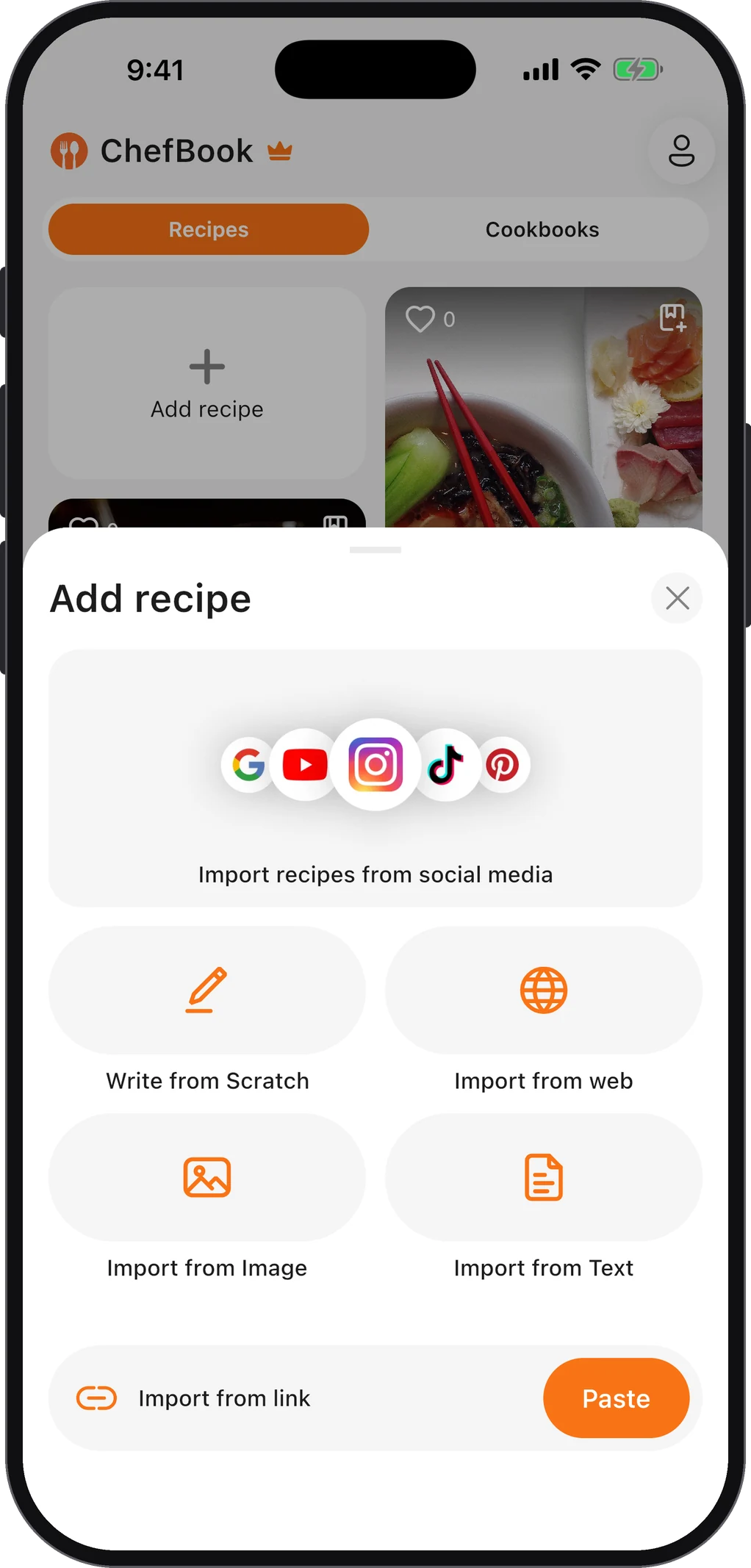
- Paste it into ChefBook. Open ChefBook, tap add, choose import from social media and paste the link. ChefBook reads the post and builds a recipe with an ingredient list and numbered steps.
- Check the quantities. Captions often say "a splash" or skip amounts. Fix anything vague now, or let AI Completion propose the missing quantities and steps, then edit them before saving.
- If the recipe is only in the video. Pause on the frame with the ingredient list, take a screenshot and use Import from Image — the AI reads text out of photos too.
- File it where you will find it. Add it to a cookbook such as Weeknight Dinners or To Try, so it comes up when you plan the week instead of sinking into a saved folder.
Saving the post on Instagram as well does no harm — but treat it as a bookmark to the creator, not as your copy of the recipe.
How to copy a recipe from an Instagram caption by hand
The Instagram app does not let you select caption text on most phones. Two workarounds:
- Open the post in a browser. Copy the link, paste it into Safari or Chrome and sign in if asked. In the browser the caption is ordinary text you can select and copy.
- Copy text from a screenshot. Screenshot the expanded caption, open it in Photos (iPhone Live Text) or Google Lens (Android) and copy the text out of the image.
Then paste it somewhere you will find it again. ChefBook's Import from Text turns pasted text into a structured recipe, which saves you retyping it into the right shape.
How to print a recipe from Instagram
Instagram has no print view. Get the recipe out first — into a document or into ChefBook — and print from there. In ChefBook, PDF export is a Premium feature; a pasted caption in any notes app prints for free.
Saving reels is only half the job
The point of getting recipes out of Instagram is that they can then sit next to everything else you cook: blog recipes, TikToks, your family's cards. One library means one search, one meal plan and one grocery list — and that is when saved recipes start turning into dinners. For TikTok, the steps are almost the same: see how to save recipes from TikTok.
Do this in about a minute
ChefBook is free on the App Store and Google Play — save your first recipe today.
phone camera