 ChefBook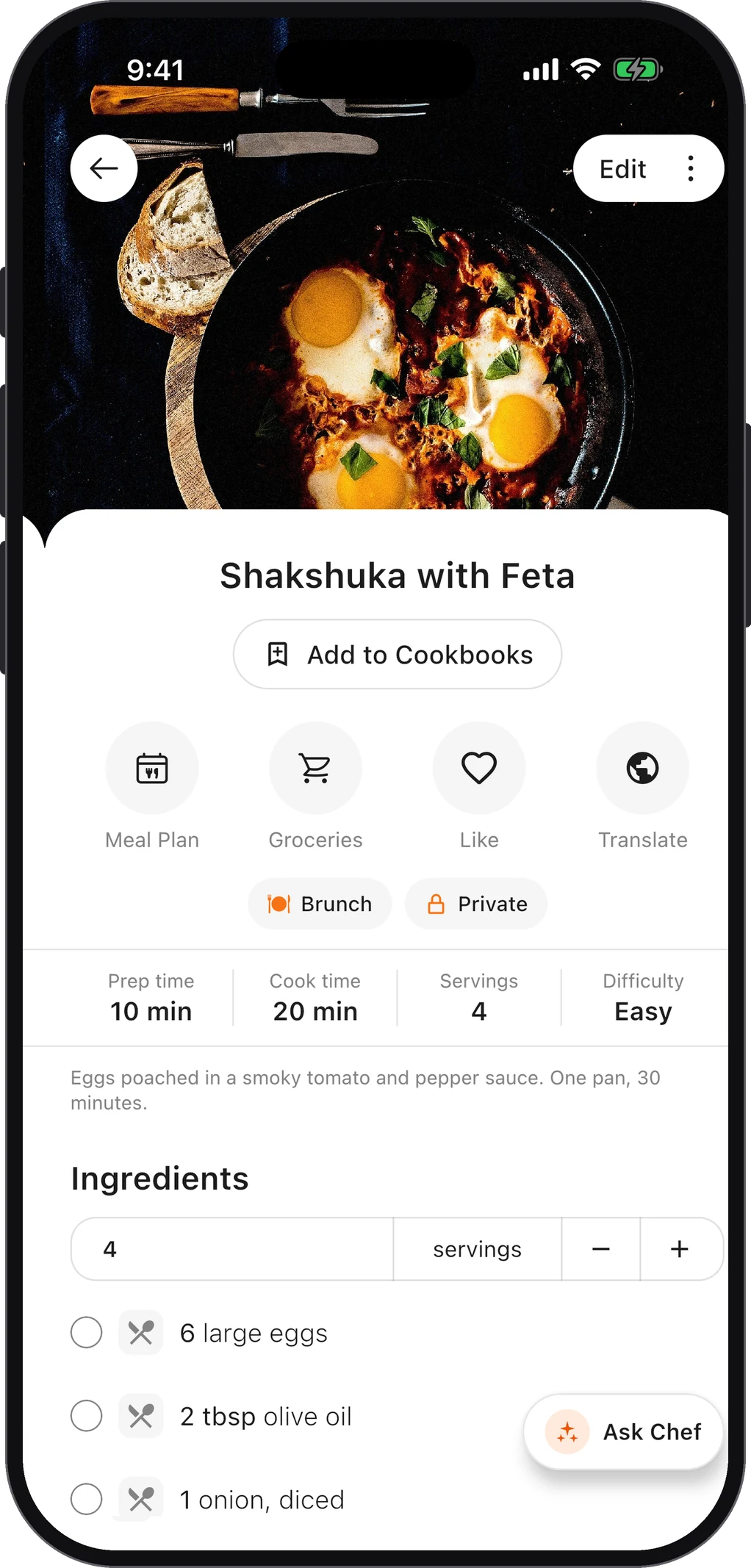
Almost everyone who cooks from the internet has the same complaint: the recipe is buried. You scroll past the story, the tips, the photos of every step, the ads that load as you scroll, and the comment asking whether you can use margarine. The good news is that you never have to read any of it if you don’t want to.
Why recipe blogs are so long
It helps to know the reason, because it tells you where the recipe will be on the page.
- Recipes on their own are hard to protect. A plain ingredient list is generally not something anyone can own; the writing around it is. The story makes the page the blogger’s own work.
- Search engines reward pages that answer more questions. A post that covers substitutions, storage and “why did my cake sink” can show up for many more searches than a bare recipe.
- Ads pay per page, and longer pages hold more of them. For many food bloggers, display ads are the income that pays for testing recipes.
- Some readers genuinely want it. The step photos and the “my dough was too sticky” troubleshooting are useful the first time you make something.
None of that means you have to read it. Almost every recipe site puts the actual recipe in a structured “recipe card” near the bottom, because that card is what search engines read. The tricks below all get you to that card, or past it.
1. Use the “Jump to Recipe” button
Most large recipe blogs run a recipe plugin that adds a Jump to Recipe (sometimes Skip to Recipe) button near the top of the post, usually just under the title or the first photo. One tap scrolls you straight to the card with the ingredients and method.
If you don’t see it, it may be hidden behind an ad that loaded late. Scroll back to the very top and look again, or search the page for the word “Ingredients” (on iPhone: the share button, then Find on Page; in Chrome: the three-dot menu, then Find in page).
2. Open the print view
The recipe card almost always has a Print button. You don’t have to print anything: the print view is a clean page with just the title, ingredients and steps, usually without ads or the story. It’s also the easiest version to read with flour on your hands.
Bookmark that print URL if you plan to come back. It tends to stay stable even when the post around it is redesigned.
3. Turn on reader mode
Every major browser has a built-in mode that strips a page down to its text:
- Safari (iPhone, iPad, Mac): tap the aA icon in the address bar and choose Show Reader.
- Firefox: tap the Reader View icon in the address bar.
- Chrome (desktop): open the menu, then More tools → Reading mode. It opens in a side panel.
Reader mode is great for reading the story without the ads. It’s less reliable for the recipe itself, because recipe cards are built from structured blocks that reader modes sometimes drop or scramble. Check the ingredient list against the original before you cook.
4. Save just the recipe, once
The three tricks above all work on the page as it is today. They don’t help next month, when you want that recipe again and have to find the blog, wait for the ads and hunt for the button all over again.
The lasting fix is to keep a copy of the recipe itself, separate from the page. In ChefBook that takes one step: copy the recipe’s link and paste it into Import from web. ChefBook reads the recipe card and keeps the ingredients, method, times and servings, without the story or the ads. The full walkthrough is in how to import a recipe from a website URL.
Once it’s saved:
- It’s in your library next to every other recipe you keep, from blogs, from Instagram, from YouTube or from your family’s cards.
- It still works if the blog changes its layout, moves the post or goes offline.
- You can send its ingredients to your grocery list, or put it on your weekly meal plan.
If you mostly save recipes from your phone, the iPhone guide compares the built-in options (Notes, Reading List, screenshots) with a recipe app, so you can pick what suits you.
A fair word for the bloggers
Skipping the story is fine, and so is saving a clean copy for your own kitchen. But the person who wrote that recipe probably tested it several times, and the ads are how they pay for that. If a blog becomes a regular source, there are simple ways to give back that cost you nothing: leave a comment saying it worked, share the link rather than a screenshot of the recipe, and keep the source link with your saved copy so you can find the original again. A ChefBook recipe has a field for its source link, so the original is always one tap away.
Questions people ask
Is there a website that shows just the recipe?
There are browser extensions and sites that strip recipe pages down to the card. They do the same job as the print view: they read the structured recipe on the page. If you use one, it’s still worth saving the result somewhere you control, because the page you read it from can change.
Why do some recipe pages have no “Jump to Recipe” button?
The button comes from the recipe plugin the site uses, and not every site uses one. Searching the page for “Ingredients” or opening the print view works on almost every site.
Can I copy a recipe from a website?
For your own cooking, yes: keeping a personal copy of a recipe is what recipe boxes have always been for. Republishing someone else’s text and photos is a different matter, so keep your saved copies private and link to the original when you share.
What if the recipe is only in a video?
Then the method isn’t written anywhere on the page. The YouTube guide covers where creators usually put the written recipe, and how to get it out of the video when they don’t.
Keep every recipe in one place
ChefBook is free on the App Store and Google Play — save your first recipe today.
phone camera