 ChefBook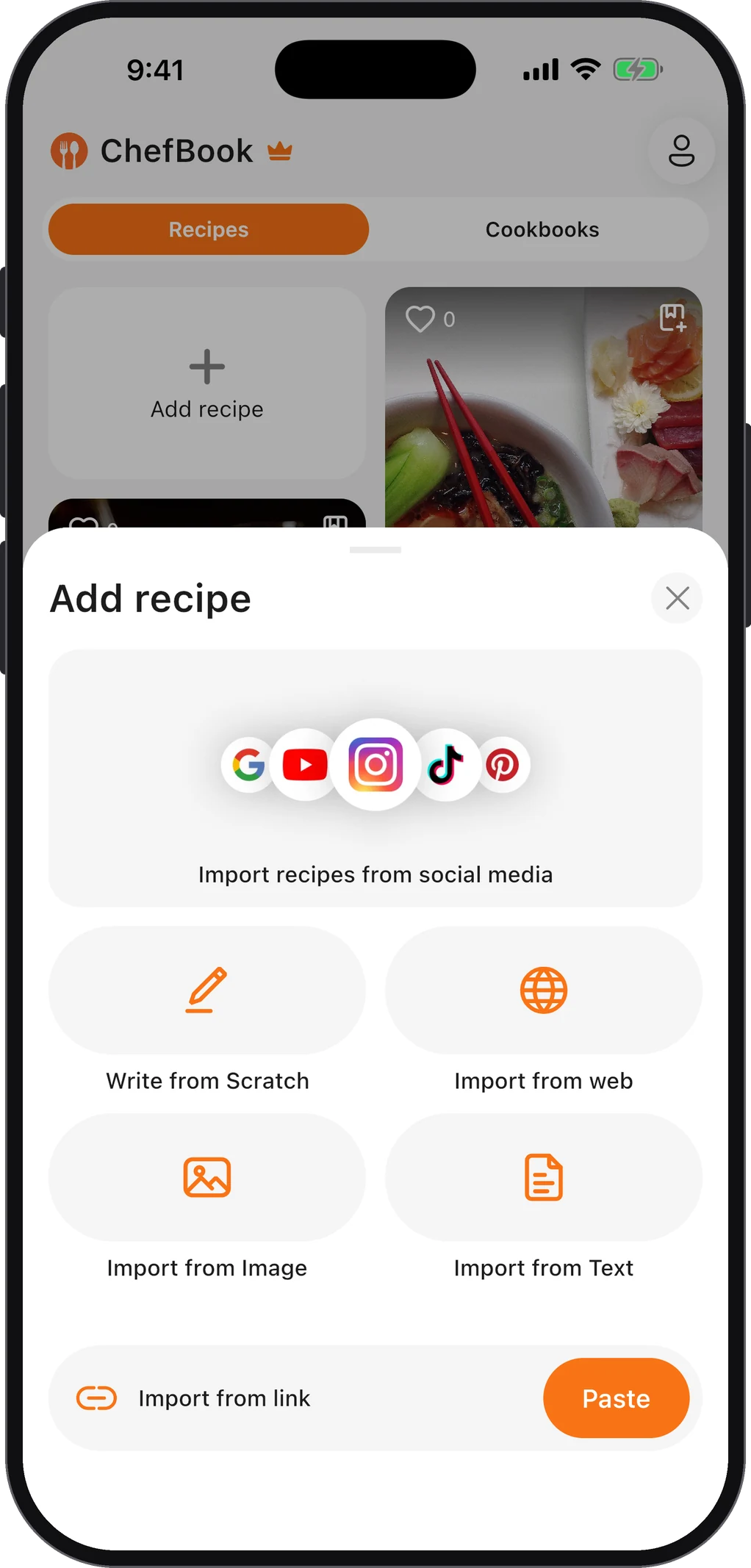
Screenshotting a recipe makes sense in the moment. It’s one gesture, it works in every app, and it saves the recipe even if the post is deleted. The trouble comes later:
- You can’t search a screenshot by dish unless your photo app happens to read the text.
- It’s mixed in with everything else: receipts, tickets, memes, chat messages.
- Recipes span several screenshots, and the ingredients end up separated from the method.
- You can’t cook from it. No scaling, no shopping list, no step-by-step view. You pinch-zoom with floury fingers.
Here’s how to clear the backlog once, then stop it building up again.
Step 1: Gather every recipe screenshot in one place
Both major phones already sort screenshots for you:
- iPhone: the Photos app collects screenshots automatically in a Screenshots collection. Photos search also reads text in images, so searching words like “tbsp”, “preheat” or “ingredients” pulls up recipes surprisingly well.
- Android: Google Photos keeps a Screenshots folder, and its search can also find text inside images. Try the same words.
Create an album or folder called “Recipes – to sort” and move every recipe screenshot into it. Don’t judge them yet, just collect.
Step 2: Be ruthless — keep only what you’d actually cook
Go through the album once and make three decisions:
- Delete anything you wouldn’t cook this month if you had the ingredients. If it’s been there a year and you’ve never made it, it’s not a recipe, it’s a wish.
- Merge multi-part recipes. Put the ingredients screenshot and the method screenshot next to each other so they’re processed together.
- Find the source where you can. If the screenshot shows a website or a creator’s name, the full original recipe is often one search away, with the quantities your screenshot cut off.
Most people find that a few hundred screenshots shrink to a few dozen real recipes. Those are worth the next step.
Step 3: Turn screenshots into real recipes
A screenshot is a picture of a recipe. To search, scale or shop from it, you need the text as an actual recipe with an ingredient list and steps.
You can type them up by hand. Your phone can also help: iPhone’s Live Text and Android’s Google Lens both let you copy text out of an image and paste it into a note. That’s fine for five recipes and a chore for fifty.
In ChefBook, choose Import from Image and pick the screenshot (or several screenshots of the same recipe). The app reads the text and builds a structured recipe: title, ingredients and numbered steps. Check it against the image, add a photo of the dish if you like, and save. The same import works for photographed cookbook pages and handwritten cards. Our guide to scanning recipe cards has tips for getting a clean read from any image.
Once a recipe is in the library, delete the screenshot. Keeping both means two places to look, which is how the problem started.
Step 4: Give the library a structure you’ll use
Folders only help if you’d look in them. Organise by how you decide what to cook, not by how a cookbook author would:
- By occasion: Weeknights, Weekend projects, Hosting, Lunchbox
- By main ingredient: Chicken, Pasta, Vegetarian, Baking
- By person: Mum’s recipes, Recipes from Sam
In ChefBook these are cookbooks, and you can keep them private or share them with a link. How to organise family recipes digitally covers structures that hold up as the collection grows.
Step 5: Stop new screenshots piling up
The backlog comes back unless the habit changes. The fix is to save the link, not the picture:
- Instagram, TikTok, YouTube and Pinterest: tap Share, then Copy Link, and import the link into ChefBook. The recipe lands in your library with the caption’s ingredients and method. See saving recipes from Instagram and how to save recipes from TikTok to your phone.
- Recipe websites: copy the page’s link and paste it into ChefBook, and the recipe comes in without the life story.
- When a screenshot really is the only option (a friend’s message, a recipe in a story that will disappear), import it the same day instead of letting it sink into the camera roll.
A good rule is that a recipe gets imported the day you save it, or not at all.
Common questions
What’s the best app for organising recipe screenshots?
Any recipe app that can read text from images will do better than a photo album, because it turns the picture into a searchable recipe. ChefBook does this with Import from Image, and it also imports recipes from links so you need fewer screenshots in the first place.
Can I search screenshots for recipes without an app?
Partly. iPhone Photos and Google Photos can both find text inside images, so searching “ingredients” or a dish name finds many recipe screenshots. You still can’t scale or shop from them, which is why it’s worth converting the keepers.
Should I keep the original screenshot after importing?
Usually no. Once the recipe is checked and saved, the screenshot is a duplicate. The exception is a screenshot of something sentimental, like a recipe a relative sent in a message. Keep that one in an album of its own.
Keep every recipe in one place
ChefBook is free on the App Store and Google Play — save your first recipe today.
phone camera